Technical Ragdoll MMA Mobile Controls: Full Touch Guide
Learn Technical Ragdoll MMA mobile controls, from touch strikes and blocking to clinch and takedowns, plus tips and the ALOHA code to win more fights fast.
Jump to
How Fighting Works on a Touchscreen
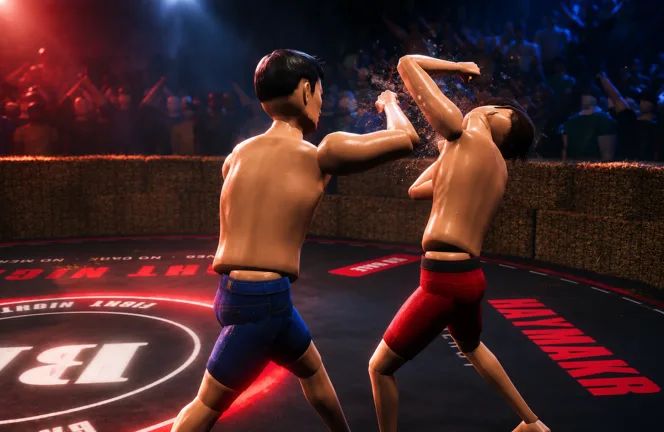
In a physics-driven fighter, a single late block or wasted punch can get you dropped. That's why getting comfortable with the Technical Ragdoll MMA mobile controls matters before you queue into anything competitive. On mobile, you fight with on-screen touch buttons. The physics engine treats those taps exactly like a keyboard press or a controller input, so a mobile fighter lands the same ragdoll-driven contact as anyone on PC or console.
The full move set carries over to touch:
- Strikes: punches and kicks, including jabs, crosses, hooks, and knees
- Defense: blocking and slipping
- Clinch: tying up, landing knees, and breaking back to range
- Takedowns: shooting for the legs and sprawling
- Movement: footwork in the cage and transitions on the ground
The game runs on Roblox with full PC, mobile, and console support. You can jump in from the official Technical Ragdoll MMA Roblox page.
Learning the Inputs: Tutorial First
Head to the tutorial in the lobby to learn the controls before your first real fight. Get the jab, cross, hook, and block down before anyone is swinging back at you.
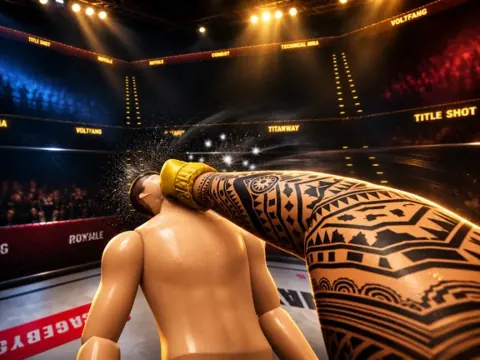
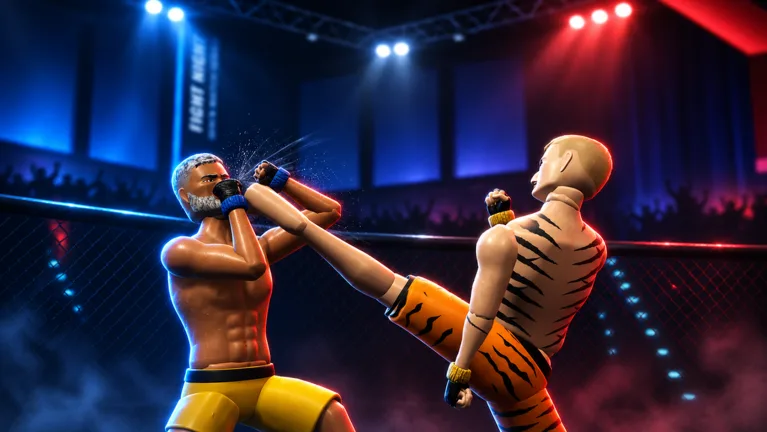 Image: Roblox / TechnicalMMA
If you also play on PC, here's how the core striking inputs map there:
| Action | PC Input |
|---|---|
| Jab | Left click |
| Cross | Right click |
| Lead hook | Q |
| Block | Hold Space |
Blocking is a hold, not a tap, on PC. Get used to keeping your guard up for as long as a combination lasts instead of tapping it once and hoping.
Building a Fighter That Suits Your Thumbs
Your build changes how the controls feel. Height sets your reach. Muscle and fat set your weight, and weight drives power, speed, and cardio across five weight classes, from lightweight to super heavyweight.
Heavier fighters swing slower but hit harder. That means your inputs resolve at a different speed depending on body composition:
- Speed builds: chain quick jabs and slips, and keep tapping in short, sharp bursts.
- Power builds: commit to strikes earlier, especially at super heavyweight. Focus on single clean shots and clinch entries.
- Long arms: stretch your reach advantage and pick shots from range.
Test your exact build in Sparring before taking it into competitive play.
Combat Tips for Touch Players
- Watch your stamina. Throwing nonstop drains your cardio, and a gassed fighter gets knocked out. Stop punching for a moment and let the bar refill before you push again.
- Throw hooks. Left and right hooks are big knockdown tools. A clean right hook to the face can put an opponent on the canvas.
- Keep working after a knockdown. Follow up while your opponent is down instead of backing off.
- Mix in kicks and knees. Don't live on the punch buttons alone. Body and leg attacks add damage your opponent has to defend.
- Try both camera modes. You can fight in first person or third person. Test both and keep whichever feels better on a small screen.
- Track damage. Your opponent's health readout in the top right shows head and body damage separately. If the head is heavily damaged, keep hunting it.
A Pre-Match Input Check
Ranked Season 1 is live, and losing a round to an unresponsive button hurts. Run this routine before you queue:
- Close background apps that can throttle touch response.
- Open Sparring mode and drill each mechanic once: jab, slip, clinch, shoot a takedown, and transition on the ground.
- If anything feels delayed or doesn't register, restart the client and test again.
- If lag shows up mid-session, drop back to Sparring to isolate the problem instead of burning rating points.
Use Quick Match to experiment with new builds without pressure. Save Ranked for when your strike timing, blocks, and ground transitions feel consistent. Ranked adds judge decisions and exclusive gear for climbing from Amateur to Champion.
Game Modes Worth Practicing In
Each mode gives you a different way to sharpen your touch inputs:
- Career Mode: work toward becoming a double champion
- Quick Match: straight into a fight
- Ranked: Season 1, Amateur to Champion, with exclusive gear
- Fight Now: Stand and Bang, Open Weight, Bare Knuckle, 2v2, and 3v3
- Sparring: private fights with friends, where you can drill each control before queuing
Servers hold up to 10 players.
Free Rewards: Redeem Code ALOHA
While you're learning the controls, grab the free gear. Code ALOHA gives you the Hawaiian Shorts and 1 Champion Pack.
- Launch Technical Ragdoll MMA on Roblox.
- Tap the Enter Code button on the left side of the screen (it also sits under the Store menu's Codes tab).
- Type ALOHA exactly as shown, because codes are case sensitive.
- Tap Redeem.
FAQ
Can I play Technical Ragdoll MMA on my phone?
Yes. The game supports PC, mobile, and console, and mobile players use on-screen touch buttons.
Do mobile players have a disadvantage in fights?
The physics engine applies the same way on every platform, so a touch input produces the same ragdoll-driven contact as a keyboard or controller press.
Why did my code fail to redeem?
Check for typos or extra spaces, since codes are case sensitive. A code you've already redeemed may not work again on the same account, and some codes are only available for a limited time and may stop working after an update.
Continue with
 Technical Ragdoll MMA Ranked Guide: Climb to ChampionTechnical Ragdoll MMA ranked explained: climb Season 1 from Amateur to Champion, pick the right build, and redeem the free ALOHA code before you queue.
More in Guide
Technical Ragdoll MMA Best Tech: Builds, Strikes & Counters
Learn the Technical Ragdoll MMA best tech: long-reach builds, jab and hook timing, blocking, stamina control, and the ALOHA code. Step in the cage ready.

Technical Ragdoll MMA Career Mode: Road to Double Champion
Technical Ragdoll MMA career mode guide: build your fighter, pick a weight class, and chase double champion status. Plus the ALOHA code and combat tips.
Technical Ragdoll MMA Controller Support & Controls Guide
Does Technical Ragdoll MMA support controllers? Learn console and PC play, core striking controls, blocking, stamina tips, and the ALOHA code to redeem.
Technical Ragdoll MMA Controls: PC Keys and Fight Tips
Learn the Technical Ragdoll MMA controls on PC, from jabs and hooks to blocking and kicks, plus stamina tips, fighter builds, and the free ALOHA code.
Continue exploring
Join the community
Official channels for news, updates and player help: