
Technical Ragdoll MMA Game Passes: All Prices in Robux
See every Technical Ragdoll MMA game pass and its Robux price, from the 79 Robux Starter Bundle to 2X XP, plus the free ALOHA code and what it unlocks.
Jump to

Every Game Pass and What It Costs
Before you spend Robux in a fighting game built around your fighter's body, you should know exactly what the shop sells. This rundown covers the Technical Ragdoll MMA game passes and their prices, plus the free rewards you can grab first. The main menu has a lot competing for your attention, including a battle pass, a seasonal pass, and a store, so it helps to know what's there before you open it.
Six passes are sold in the experience:
| Game Pass | Price | What It Does |
|---|---|---|
| Starter Bundle | 79 Robux | Bundle |
| Street Bundle | 99 Robux | Bundle |
| Fire Bundle | 149 Robux | Bundle |
| Legacy Career | 199 Robux | Game pass |
| 2X XP | 199 Robux | 2x XP towards season passes |
| Wild Bundle | 249 Robux | Bundle |
A few quick numbers to plan around:
- The Starter Bundle is the cheapest entry point at 79 Robux.
- The Wild Bundle is the priciest single pass at 249 Robux.
- Buying all six passes costs 974 Robux in total.
- Legacy Career and 2X XP share the same 199 Robux price tag.
2X XP and the Season Passes
2X XP is the one pass with a clearly stated effect: it doubles the XP you earn toward the game's season passes. If you plan to grind the battle pass and seasonal pass tiers, this pass speeds that up. If you mostly hop into a Quick Match or Sparring with friends now and then, you won't get much out of it.
 Image: Roblox / TechnicalMMA
Buy it early in a season if you want it at all. Doubled XP is worth more the more matches you have left to play.
Free Rewards to Claim Before You Spend
Don't spend a single Robux before you redeem the active code. It's free and gives you cosmetics right away.
| Code | Rewards |
|---|---|
| ALOHA | Hawaiian Shorts and 1 Champion Pack |
To redeem it:
- Launch Technical Ragdoll MMA on Roblox.
- Finish the tutorial and your first practice match. This unlocks the main menu.
- Click ENTER CODE on the left side of the main menu.
- Type the code in the box and hit REDEEM.
Codes are case sensitive, so enter ALOHA in all caps with no extra spaces. A code you've already redeemed may not work again on the same account. The developer, Technical_MMA, posts new codes in the description on the official Technical Ragdoll MMA Roblox page. Check it after updates.
Earning Exclusive Gear in Ranked
Ranked is where the exclusive gear lives. Season 1 is live, and climbing from Amateur to Champion unlocks exclusive gear.
Ranked wins come down to how you build and fight:
- Build for reach. Height sets your reach, and muscle and fat set your weight. Your weight in turn drives power, speed, and cardio. You rebuild your fighter before each match to make weight, so max out height and arm length within your class to out-range opponents.
- Pick your weight class with intent. There are five classes, from lightweight to super heavyweight, and your build has to make the weight for the class you're fighting in.
- Counter hooks with a jab. A well-timed jab beats a hook, while a late one just turns into a punch trade. Hooks drain Head HP fast, so this counter matters.
- Mix in takedowns and body kicks. Shooting for a takedown and landing ground strikes, then working the body with kicks once you're back up, keeps opponents guessing.
- Use the full toolkit. Boxing, kickboxing, and wrestling are all in play, so slip, block, and clinch instead of only throwing strikes. Every shot runs on real physics, and a fight can end with you rocking and dropping your opponent or going to the judges.
- Warm up in Sparring. Set up a private fight with friends to drill the jab counter before you take it into Ranked.
Outside Ranked, Career Mode lets you chase becoming a double champion. Fight Now mixes things up with Stand and Bang, Open Weight, Bare Knuckle, 2v2, and 3v3. The game supports PC, mobile, and console, so you can grind toward that gear on whatever device you have.
Continue exploring
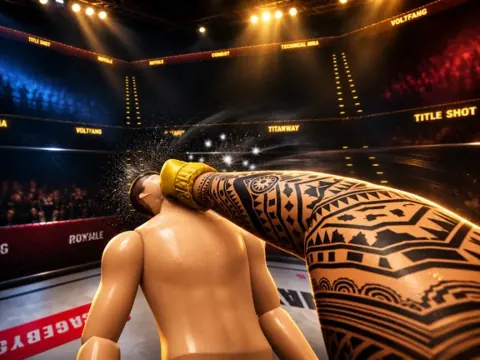
Technical Ragdoll MMA Grappling Guide: Takedowns & Builds
Use this Technical Ragdoll MMA grappling guide to build a wrestler, chain strikes into clinches and takedowns, manage stamina, and grab free code rewards.

Technical Ragdoll MMA Career Mode: Road to Double Champion
Technical Ragdoll MMA career mode guide: build your fighter, pick a weight class, and chase double champion status. Plus the ALOHA code and combat tips.
Join the community
Official channels for news, updates and player help: